John Deere TW Disk Specifications and Key Features
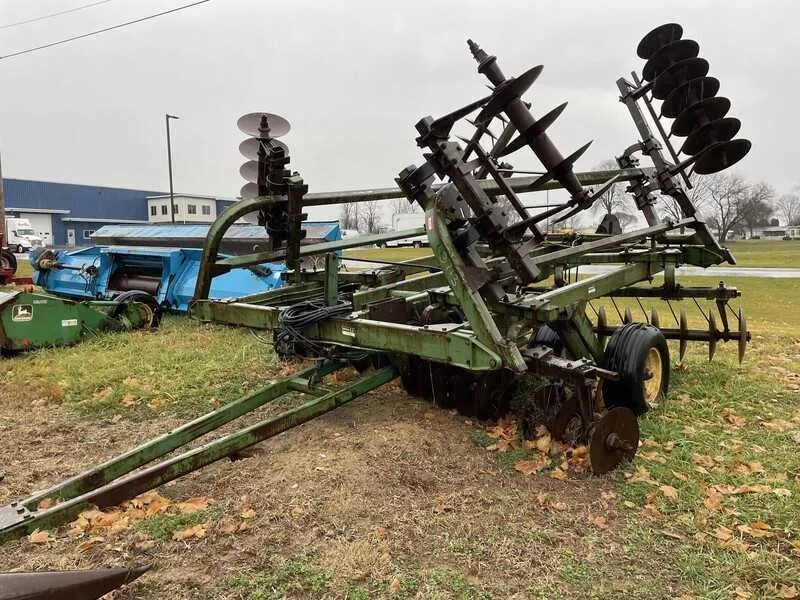
For precise soil preparation and cultivation, the John Deere TW Disk stands out with its impressive design and performance. Its specifications cater to users who require reliability and versatility across various agricultural tasks. With a working width that allows for efficient coverage, it ensures effective soil penetration and smooth tillage.
The disk diameter is a key feature that contributes to the unit’s performance. Typically, it measures 20 to 24 inches, making it suitable for a wide range of soil types. The frame construction is designed for durability, ensuring the disk can handle tough conditions without compromising stability or control.
Another important specification is the adjustable gang angle, which provides flexibility depending on the depth and texture of the soil. With precise adjustment, users can achieve optimal results without causing unnecessary compaction or damage to the soil structure. This adaptability makes it an ideal choice for both light and heavy-duty tasks.
The TW Disk also features a hydraulic depth control system, allowing operators to easily manage the working depth for different field conditions. Whether working in dry or moist soil, this system offers the precision needed for consistent performance across varying terrains.
Lastly, its transport width ensures easy mobility from one field to another, reducing time spent on setup and maximizing operational efficiency. This combination of features positions the John Deere TW Disk as a valuable tool for modern agricultural needs, offering consistent, high-quality results in various field conditions.
John Deere TW Disk Specifications
The John Deere TW Disk is designed for precise and durable soil tillage. It features a rugged frame, ensuring long-lasting performance in tough field conditions. The disk blades come in 24″ and 28″ sizes, made of high-quality steel for optimal penetration and wear resistance. The cutting angle of the blades is adjustable from 16° to 24°, allowing you to fine-tune soil disturbance according to different soil types.
Each TW Disk is equipped with a large, balanced toolbar, which supports a range of attachment options. The spacing between the blades is adjustable, typically ranging from 9 to 12 inches. This flexibility ensures adaptability to varying tillage needs, from light cultivation to more intensive soil disruption.
For improved stability, the TW Disk incorporates a dual wheel setup on the rear, which helps maintain consistent depth control. The wheels are designed for easy adjustment, enabling you to manage tillage depth from 4″ to 8″. The hydraulically adjustable settings allow for quick, on-the-go modifications while in the field, reducing downtime and enhancing productivity.
With its heavy-duty construction and versatile blade settings, the John Deere TW Disk ensures reliable performance across different soil conditions and farming practices. It’s built to reduce soil compaction and provide excellent seedbed preparation, making it an invaluable tool for modern agricultural operations.
Understanding the Disk Diameter and Blade Design for Optimal Performance
For the John Deere TW disk, selecting the right disk diameter is key to ensuring efficient soil engagement and optimal tillage depth. A larger diameter allows for deeper soil penetration and better residue management, while a smaller diameter is more suitable for lighter tillage and shallower working depths.
Blade design plays a significant role in how the disk cuts through soil. A concave blade shape provides better soil disruption and enhances the cutting ability, while a flat blade reduces resistance and is more effective in lighter soil conditions. For maximum performance, ensure the blade’s curvature aligns with your specific soil type and intended tillage depth.
The blade thickness should be chosen based on the expected soil conditions. Thicker blades are more durable and better suited for heavy soils with high residue, while thinner blades perform well in loamy or sandy soils. Regularly check for blade wear, as this can directly affect the disk’s cutting efficiency and soil penetration.
Lastly, maintaining the correct blade angle helps optimize cutting performance. An adjustable blade angle gives the flexibility to adapt to different soil types, ensuring consistent and efficient tillage across varying conditions.
Adjusting the John Deere TW Disk for Different Soil Types
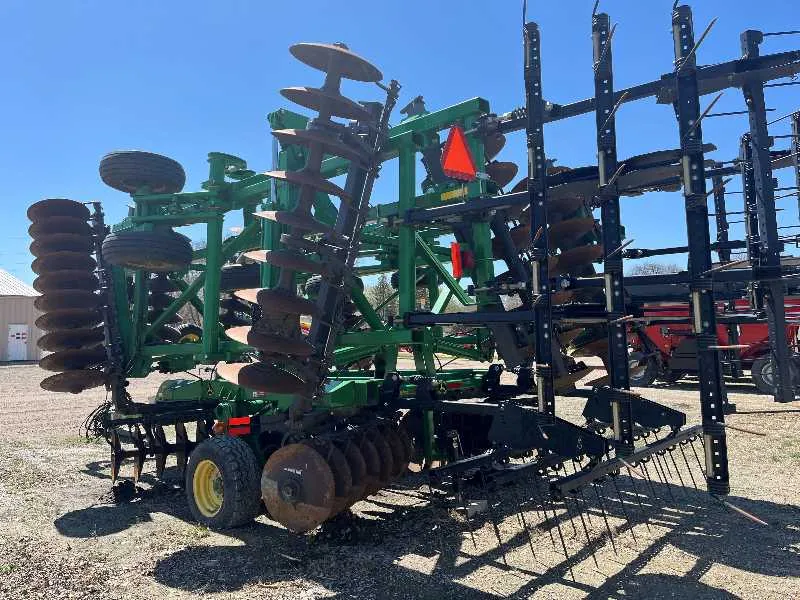
For optimal performance, adjust the John Deere TW Disk based on the soil texture you’re working with. In sandy soils, decrease the downforce to reduce soil compaction and ensure the blades cut into the surface without excessive drag. On heavier clay soils, increase the downforce to help the disks penetrate the ground more effectively and break up compacted layers.
For loamy soils, a moderate downforce setting works best. The TW Disk’s depth should be set to about 3-4 inches to ensure proper soil tilling without disturbing the soil structure too much. In wetter soils, reduce the blade angle to avoid excessive soil disturbance and to prevent the disks from clogging with mud.
For rocky or uneven ground, adjust the blade’s angle and depth to minimize damage to both the soil and the disk components. Use the transport position or adjust the settings as needed to avoid unnecessary wear on the equipment.
Regularly check the condition of the blades. In areas with heavy crop residue, consider sharpening the disks more frequently to maintain cutting efficiency. Additionally, inspect the disk bearings and hubs for wear, as these can impact the machine’s performance across varying soil conditions.
Maintenance Tips for Prolonging the Lifespan of the TW Disk
Regular inspection and cleaning of the TW Disk are the foundation for maintaining its performance. Start by checking for wear and tear on the disk blades, bearings, and mounts after each use.
- Inspect the disk blades: Ensure that the blades remain sharp and free from cracks. Dull or damaged blades reduce efficiency and can cause strain on the entire unit.
- Check the bearings: Over time, bearings can wear out due to constant friction. Regularly lubricate them and replace them when you notice unusual noise or resistance.
- Clean the disk after each use: Dirt and debris can accumulate on the disk, leading to rust and corrosion. Use a brush or compressed air to remove particles, and wipe down the disk with a clean cloth.
- Monitor for any loose or damaged parts: Before and after each use, check that all bolts and nuts are tightened properly. Any loose parts can cause instability or further damage during operation.
Performing these checks regularly can significantly extend the lifespan of your TW Disk, ensuring it operates smoothly and efficiently throughout its service life.