Adjusting Blower Capacity for John Deere 7300 Forage Harvester Specifications
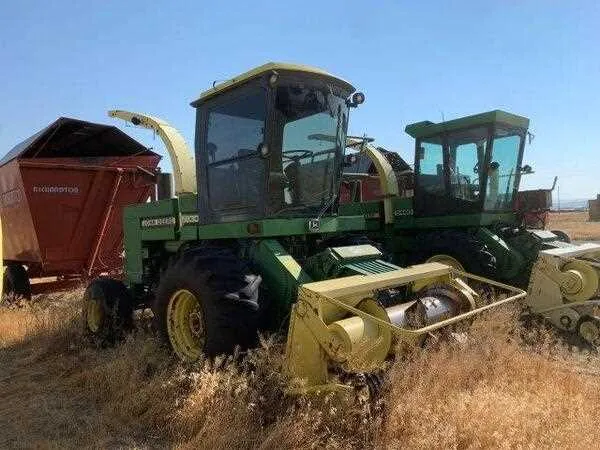
To achieve optimal performance with the John Deere 7300 forage harvester, adjusting the blower capacity plays a critical role in ensuring proper crop handling and uniform distribution. Set the blower to match field conditions and the material being processed, such as hay, silage, or straw, for efficient operation.
Start by adjusting the fan speed. Use the tractor’s control system to fine-tune the blower speed. A higher fan speed may be required in damp conditions to ensure proper airflow, while drier materials might need a slower speed for more control over the material stream. Always monitor the material flow to prevent overloading the system.
Next, check the blower’s calibration regularly. Make sure the blower is calibrated according to the manufacturer’s specifications. The capacity can shift due to wear or field conditions, which can affect the airflow. Accurate calibration ensures optimal performance and helps prevent unnecessary strain on the engine and other components.
Finally, maintain the blower system by keeping it clean and free of debris. Over time, buildup can reduce the blower’s efficiency. Inspect the system frequently to make sure that airflow is not obstructed, and replace worn parts as needed to maintain consistent performance.
Adjust Blower Capacity for John Deere 7300 Forage Harvester Specs
To adjust the blower capacity on the John Deere 7300 Forage Harvester, begin by inspecting the blower settings. These are key to ensuring the proper discharge and consistency in crop processing.
Ensure the blower fan is clean and free of debris, as buildup can cause inefficiencies in air flow. If necessary, remove the fan assembly and clear any obstruction to maintain peak performance.
- Check the blower speed setting through the control panel. The default settings are optimized for general harvesting, but adjustments might be necessary for specific crop types or moisture levels.
- If adjustments are required, access the blower motor and increase or decrease the speed according to the operator’s manual recommendations. The speed range typically falls between 1,500 and 3,000 RPM, but this can vary based on the harvester’s configuration.
- Examine the air ducts for blockages. A clear path ensures that air is directed efficiently to the blower’s exit. Clean or replace filters as needed to prevent clogging.
- Ensure that the blower capacity matches the harvesting conditions. Higher blower speeds are useful for lighter, drier materials, while slower speeds may be better suited for wetter, denser crops.
Adjusting the blower for optimal capacity will help maintain consistent operation and minimize wear on components. Regular monitoring and fine-tuning based on changing field conditions is key to keeping the John Deere 7300 performing at its best.
Understanding the Impact of Blower Capacity on Performance
Adjusting the blower capacity directly influences the material flow and uniformity during harvesting. An optimal blower setting ensures even distribution of harvested material, preventing clumping or uneven spread that could slow down operations.
Higher blower capacity typically leads to faster material movement and wider distribution, reducing the time required for unloading and improving overall processing efficiency. However, setting the blower capacity too high may cause excessive dust or crop damage. Fine-tuning the blower speed helps achieve a balance between smooth operation and crop preservation.
Monitoring blower speed in real-time is crucial, especially under varying field conditions. It allows the operator to adapt quickly, ensuring the harvester operates at peak performance without compromising crop quality. Adjusting capacity based on moisture content, crop density, and field slope can further enhance harvesting efficiency.
Step-by-Step Guide to Adjusting Blower Settings
Adjust the blower capacity by following these specific steps to ensure optimal performance and efficiency. Begin by locating the blower control panel on your John Deere 7300 forage harvester.
1. Check the current settings: Before making any adjustments, take note of the existing blower settings. Record the values for future reference in case a rollback is necessary.
2. Access the adjustment controls: On the control panel, identify the blower adjustment controls. These are typically marked clearly for ease of access.
3. Increase or decrease blower speed: Adjust the blower speed according to the current crop conditions. If you’re harvesting dry material, increase the speed. For wetter conditions, reduce the blower speed to avoid clogging.
4. Fine-tune air flow: Use the fine-tuning mechanism to adjust the direction of the airflow. Ensure the airflow is directed at the right angle to optimize crop separation.
5. Monitor the results: After making adjustments, monitor the harvester’s performance. Ensure that the blower is functioning effectively by observing how the crop is being handled and dispersed.
6. Adjust as needed: If you notice any inefficiencies or clogging, repeat the adjustments. Fine-tune until the blower operates smoothly and efficiently.
7. Verify system calibration: Finally, after adjustments, check that all settings are correctly calibrated for the harvester’s overall system. This ensures balanced operation across all components.
Troubleshooting Common Issues with Blower Capacity Adjustments
If the blower capacity adjustments on your John Deere 7300 forage harvester are not yielding optimal results, check for these common issues:
1. Insufficient Airflow: If the blower is not generating enough airflow, inspect the intake filters. Clogged filters restrict air intake, leading to reduced blower performance. Clean or replace the filters as necessary.
2. Inconsistent Blower Speed: Fluctuating blower speed can lead to uneven crop distribution. Verify the electrical connections to the blower motor for any loose wires or damaged connectors. Tighten or replace these parts to restore consistent speed.
3. Excessive Power Draw: If the blower is drawing more power than expected, check the motor’s load. Overloading can be caused by misalignment or excessive debris in the blower housing. Remove any obstructions and ensure all components are properly aligned.
4. Unusual Noises: Strange noises during blower operation could indicate a worn-out bearing or other mechanical failure. Listen for grinding or rattling sounds, and inspect the blower assembly for damaged parts. Replacing worn components can eliminate these issues.
5. Poor Crop Flow: If the crop flow is uneven or clogged, inspect the blower ducts and outlet. Any obstruction or misalignment can lead to poor crop handling. Clear any blockages and adjust the ducts to ensure smooth airflow.
By addressing these common issues promptly, you can maintain consistent blower performance and optimize the harvester’s efficiency.